Journal
AI Adoption Framework: Why AI Exposes Workflow Problems
Executive answer
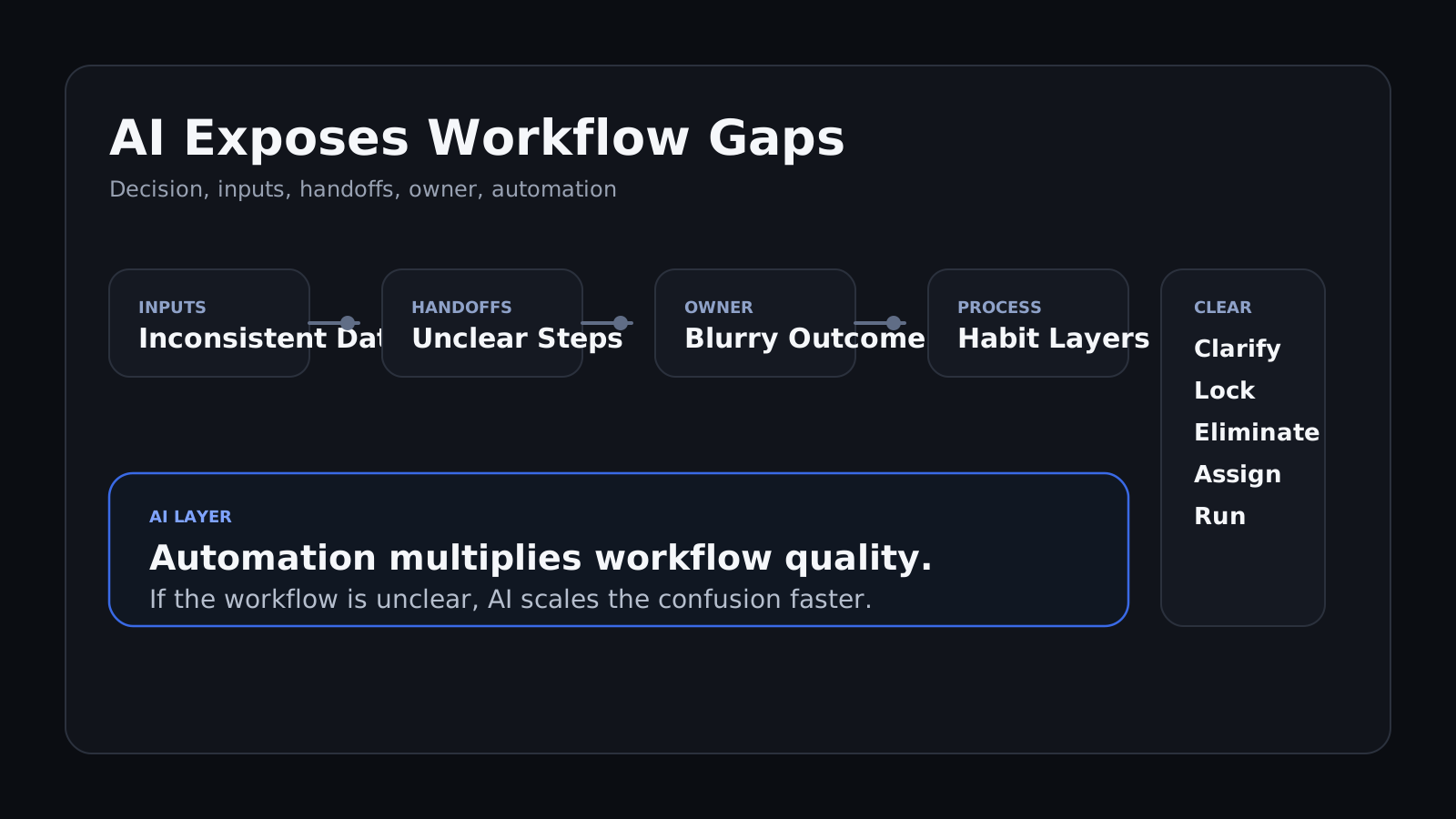
AI adoption usually looks like a tooling problem at first. Which model to use, which vendor to buy, which copilot to deploy. But once companies try to automate real work, a different issue shows up: the workflow itself is unclear, overbuilt, or held together by human compensation. AI does not solve that. It exposes it. The highest-leverage AI programs do not start by installing more tooling. They start by clarifying the decision, information flow, ownership, and unnecessary steps before automation enters the system.
What is an AI adoption framework?
An AI adoption framework is a structured way to decide whether a workflow is ready for automation by checking clarity of decisions, inputs, ownership, handoffs, and process design before new AI tools are deployed. It treats automation as a multiplier of workflow quality, not a substitute for it.
Summary Framework
- Identify the real decision inside the workflow.
- Normalize the inputs before evaluating automation.
- Remove steps that exist only by habit.
- Assign one owner for the workflow outcome.
- Automate only after the workflow makes sense.
Definitions
- Workflow debt: The hidden complexity created when a process accumulates extra steps, reviews, and handoffs over time without intentional redesign.
- Human compensation layer: The manual work people do to keep a flawed process functioning despite unclear inputs, ownership, or sequence.
- Automation readiness: The degree to which a workflow is clearly defined enough for AI or software to improve it without amplifying confusion.
- Decision owner: The person accountable for the final outcome of the workflow, not just one step within it.
- Workflow clarity: A state where the decision, inputs, owners, and handoffs are explicit enough that the process can be simplified, measured, and improved.
Why does AI adoption expose workflow problems?
Most internal workflows were not intentionally designed. They accumulated over time.
- a step was added after something broke
- a review layer appeared after a mistake
- a handoff stayed in place because nobody removed it
- the process kept working only because people compensated for it
That works well enough until leaders ask AI to automate the process. At that point the organization discovers the workflow is not actually defined tightly enough to automate cleanly.
The inputs vary by person. The decision logic changes by team. Ownership is blurry. Half the steps exist because they have always existed.
AI is not causing the workflow problem. It is making the workflow problem visible.
What should leaders clarify before they automate a workflow?
Leaders need to answer four questions before they choose a tool.
1. What decision is this workflow actually supporting?
If the workflow cannot be tied to a clear decision, it will usually drift into generic “productivity” work with weak business impact.
The first question is not “where can AI help?” It is “what decision or outcome is this workflow supposed to produce?“
2. What information actually matters?
AI tools amplify whatever input quality they receive. If the source material is inconsistent, duplicated, or weakly defined, the output gets faster but not better.
This is where teams often find that different people use different source data for the same process.
3. Who owns the outcome?
A workflow with five participants and no decision owner is not ready for automation. AI can reduce labor, but it cannot resolve accountability confusion.
One person or function needs to own the outcome of the workflow after the tool goes live.
4. Which steps are unnecessary?
Some process steps add value. Others exist because they were never removed after the original reason disappeared.
If a step exists only because “we have always done it that way,” it should be pressure-tested before anyone automates it.
This is the same discipline behind Why Smart Teams Stall on Big Decisions and Decision Cadence Beats Decision Drama: clarity first, speed second.
How does the CLEAR workflow model work?
Use the CLEAR model before any AI rollout.
- Clarify the decision the workflow exists to support.
- Lock the minimum required inputs.
- Eliminate redundant steps and reviews.
- Assign one owner for the workflow outcome.
- Run automation only after the workflow is coherent.
Clarify the decision
Name the decision or output in one sentence. If the team cannot do that, the workflow is too vague to automate well.
Lock the minimum required inputs
Define which information is required, which is optional, and which sources are authoritative. AI performs better on constrained systems than on loosely assembled information piles.
Eliminate redundant steps and reviews
Review every handoff, approval, and status layer. Remove the ones that exist only by habit or politics.
Assign one owner
The workflow needs a single accountable owner even when multiple teams participate. This is what prevents confusion after automation goes live.
Run automation after coherence
Only now should the team decide whether to buy a tool, build a workflow layer, or deploy a copilot. That decision is much cleaner once the workflow has been simplified.
If the tooling decision is still open at that point, Build vs Buy Framework for AI Tools and Software Decisions is the next step.
What are the most common AI workflow mistakes?
- Starting with vendor demos before the workflow is mapped.
- Automating inconsistent inputs.
- Preserving every review layer instead of redesigning the process.
- Confusing user activity reduction with decision quality improvement.
- Treating AI implementation as separate from workflow ownership.
When should you not use this framework?
- The workflow is already simple, well-owned, and clearly measured.
- The main problem is not process clarity but lack of adoption discipline.
- The organization is experimenting with low-risk prototypes rather than production workflows.
Example scenario: how does AI expose a broken internal workflow?
A revenue operations team wants AI to automate weekly account reviews. Leadership expects summaries, risk flags, and follow-up recommendations to be generated automatically.
Once the team maps the workflow, the actual problem becomes obvious. Different account managers use different input fields. Two review steps duplicate the same judgment call. No one owns the final recommendation logic.
The team runs CLEAR:
- Decision statement: automate weekly account reviews or redesign the review workflow first?
- Criteria: input consistency, owner clarity, review-step redundancy, and risk of bad recommendations
- Outcome: redesign the workflow first, standardize inputs, remove one review layer, then automate the summary step
- Execution: Revenue Ops owns workflow redesign, Sales leadership signs off on the final decision criteria
Alternate option that loses: deploying the AI summary tool first, because it would automate inconsistent inputs and create faster but less reliable account reviews.
Success signal: account review prep time falls while recommendation quality remains stable across teams.
Correction trigger: if recommendation accuracy or follow-through quality drops after rollout, reopen the input and ownership design before expanding automation.
FAQ
Why does AI adoption reveal workflow problems?
Because AI forces teams to make process logic explicit. When ownership, inputs, or handoffs are unclear, the workflow breaks under automation pressure instead of improving.
Should companies choose an AI tool before redesigning the workflow?
Usually no. Tool choice is downstream of workflow clarity. If the process is poorly defined, the tool decision will be based on noise rather than the real operating need.
What makes a workflow ready for AI automation?
A workflow is ready when the decision it supports is clear, the required inputs are consistent, ownership is explicit, and unnecessary steps have been removed. Without those conditions, automation usually amplifies confusion.
What is workflow debt?
Workflow debt is the accumulated complexity of extra steps, reviews, and handoffs that survive long after their original purpose is gone. AI often exposes that debt because automation highlights how little of the process is actually necessary.
Can AI improve a messy process anyway?
Sometimes at the margin, but usually not in a durable way. A messy process may get faster temporarily, but the quality and accountability problems remain underneath the automation layer.
Who should own AI workflow redesign?
One person or function should own the outcome of the workflow, even if multiple teams contribute. Without clear ownership, AI rollout becomes a tooling project instead of an operating model improvement.
When to seek external clarity
If your AI initiative keeps collapsing into tool debates, the workflow probably needs to be clarified before automation goes further. Use Clarity Sprint when the workflow touches multiple teams, revenue, or operating risk. Use Clarity Ignite when one active workflow decision needs to be closed quickly.
Bottom line
AI adoption is often exposing a workflow problem, not just a tooling problem.
The leverage comes from clarifying the process before you automate it. Technology accelerates the result. Workflow clarity determines whether the result is actually better.
Substack
Get The Briefs By Email
Operator notes and decision frameworks sent through Substack.
Related Briefs
-
Build vs Buy Framework for AI Tools and Software DecisionsDecide whether to build or buy with a practical framework for speed, control, and lifecycle cost.
-
Strategic vs Reversible Decisions: When to Move FastHow founders can separate strategic decisions from reversible ones and set the right speed for each.
-
Vendor Selection Decision Framework for High-Risk Business SystemsSelect vendors with a framework balancing reliability, control, lifecycle cost, and exit risk.
-
Resource Allocation Under Constraint: A Framework for Executive TradeoffsAllocate scarce capacity with a framework that protects high-impact execution.
-
Decision Cadence Framework: How Teams Make Better Calls WeeklyA practical weekly decision cadence framework to reduce strategic drama, lock ownership, and improve execution quality under pressure.